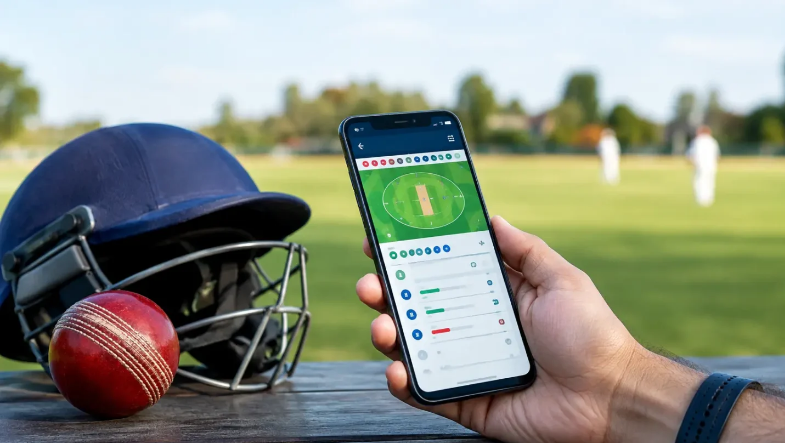
Live cricket apps compete for attention with the same promise: faster scores, more detail, and fewer reasons to leave the screen. Yet a faster update is not automatically a better update. One service may post a wicket before another, while the second provides a clearer scorecard, better over history, or fewer duplicate alerts. For a fan trying to follow a match on a phone, the useful comparison is broader than who flashes the result first. The app should explain where the match stands, refresh consistently, show when data was last updated, and remain readable when the final overs become busy. Those details matter more than a dramatic difference of a few seconds.
Start with the match state, not the notification speed
A desi cricket live odds app can sit beside a scorecard, stream, and messaging app during the same match, but each screen should be judged by what it adds. The scorecard should show the current score, wickets, overs, target, and recent deliveries without forcing the user to open several panels. Odds can change around the same events, but they belong to a different layer of the experience. If the basic match state is hard to locate, fast alerts are not much help. A good comparison begins by checking whether the screen answers the obvious question first: what is happening right now?
The timing of an update also needs context. A stream may run several seconds behind a score feed, while another service waits for a delivery to be confirmed before publishing it. That makes one app appear faster even though the difference comes from the source and update method rather than better performance. Viewers should look for timestamps, recent-ball history, and clear correction behavior instead of treating the first alert as the final record.
Check how the app handles corrections
Cricket data changes after reviews, scoring adjustments, and occasional feed errors. A run can become a bye, a dismissal can be reversed, or a ball can be reclassified after the first update. The useful app is not the one that pretends those changes never happen. It is the one that updates the score cleanly and makes the revised state easy to follow. If a notification remains on screen after the score has been corrected, the user should still be able to see the current version without digging through old alerts.
This becomes especially relevant for match statistics and live prices. A correction in the score can affect strike rate, required rate, partnership figures, and other calculations. If one screen updates only part of that chain, the numbers may briefly disagree with each other. A reliable app should recover quickly and avoid leaving stale values mixed with current ones.
Battery use and clutter matter during long matches
A cricket match can keep a phone active for hours. Constant refreshes, bright screens, video playback, location access, and frequent notifications can drain the battery long before the final over. Comparing apps therefore means looking at how much work they create on the device. A service that provides useful information with fewer background processes may be more practical than one that sends an alert for every small change. Notification controls should allow users to keep wickets or innings updates while muting promotions and repeated reminders.
Details worth checking before choosing one app
- Last-updated time for scores and match data.
- Recent-ball history after a correction or review.
- Notification controls for wickets, innings, and promotions.
- Battery and background-data use during a full match.
- Clear separation between score information and betting features.
- Account and privacy settings that are easy to find.
Live odds need a separate standard
Adults who use live betting where it is legal should judge the betting side of an app separately from the score service. A price can move after a wicket, boundary, review, or change in required rate, and the screen should make that movement clear without presenting it as a prediction. Spending controls should be easy to reach before the match becomes tense. Money for rent, groceries, medicine, transportation, debt payments, or family expenses should stay outside the session, and a fixed entertainment amount should not increase because of a win or loss.
A delayed stream creates another reason to slow down. The market may already reflect an event that has not yet appeared on the video. Acting on the assumption that every screen is perfectly synchronized can lead to confusion. The app should make status changes obvious, but the user still needs to confirm which ball or over is being shown before making any decision.
The better app is the one that stays understandable under pressure
Most live cricket apps look competent during a quiet middle over. The real test comes when a wicket falls, a review begins, the required rate climbs, and several alerts arrive at once. At that moment, the screen should remain readable rather than turning into a stack of competing prompts. Speed matters, but it is only one part of the experience. Clear score context, sensible notifications, dependable corrections, manageable battery use, and transparent account controls tell far more about whether an app deserves to stay open for the whole match.
